
“Need to find a better UX flow.”
The redesign separates a saved role from an application someone has started.
A role, its documents and its application history, together. I designed how people prepare, review and return—even when a file changes, a handoff fails or the outcome is still unknown.
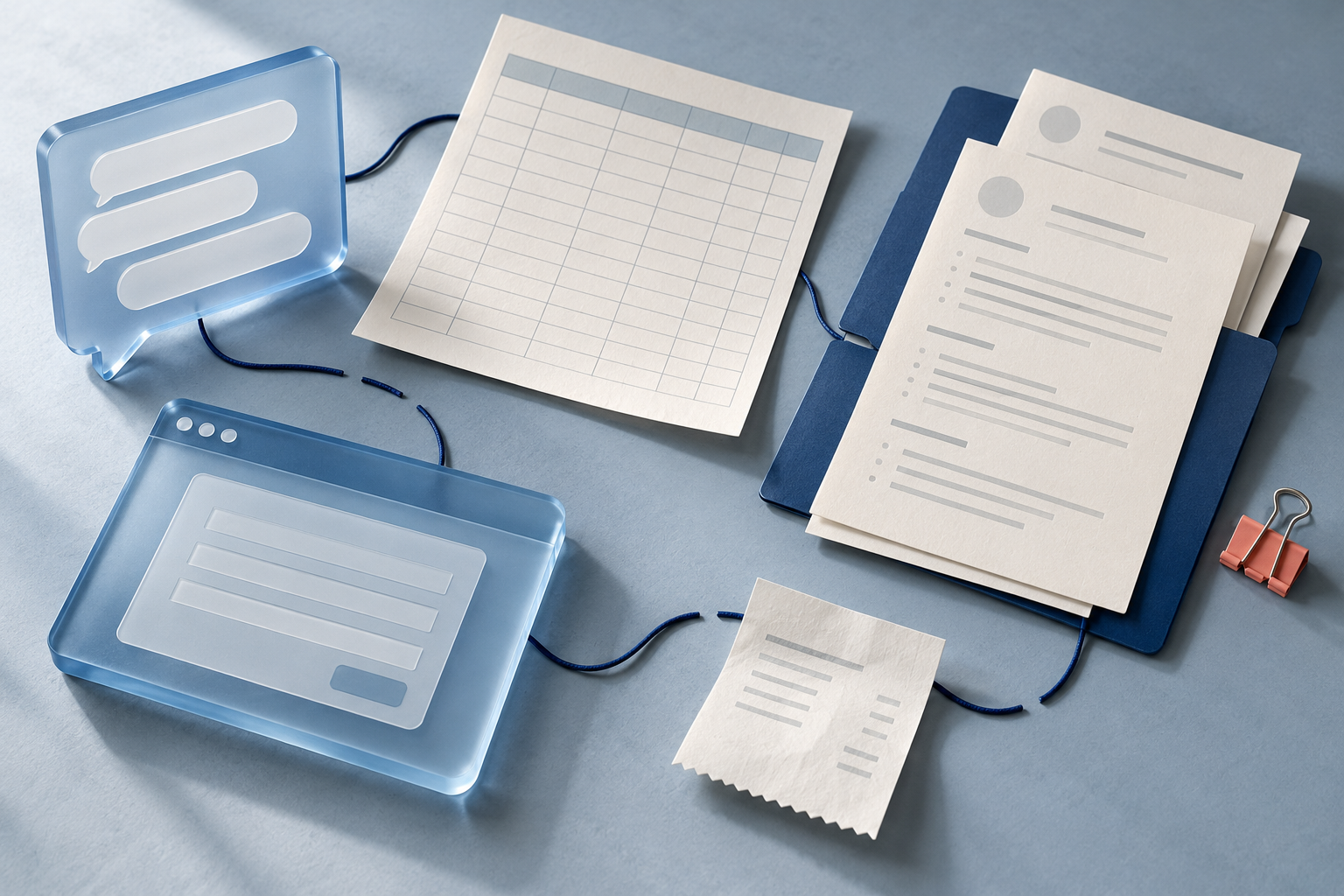
A role lived in one place, its documents in another. Every time I returned, I had to rebuild the context before I could move forward.
I wanted to come back to the work, see what was ready and know what still needed attention.
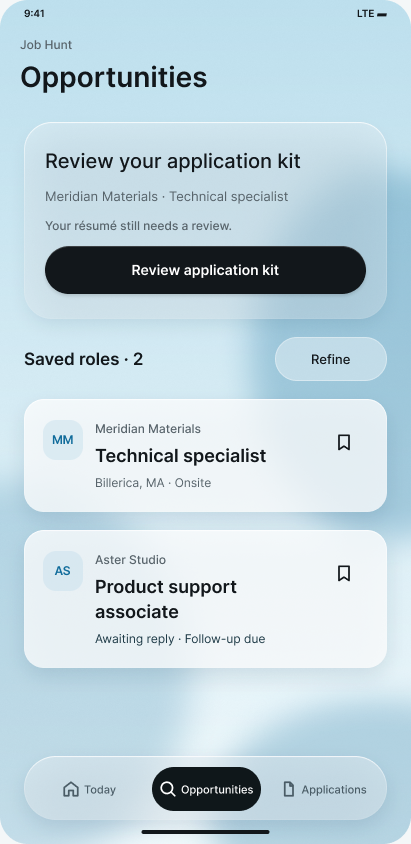
Designed for people managing several tailored applications across employer websites. The focus is returning to unfinished work with the right documents, a clear status and a next step.
One application needed one connected record.The first native prototype brought jobs, answers and application state into one place.
The Android audit exposed the same task in two places. Three users used the Android base and gave feedback afterward: the next step and each application’s status were unclear. Their input helped guide Frosted Blue, which they also tried.
Three users recruited from my personal network; feedback collected after use. No observed sessions or measured before-and-after results are claimed.
The same role and Resume answers action appear twice.
The reason is visible. Review follow-up and Review application kit name distinct actions.
The audit identified duplication; user feedback reinforced next-step clarity. These are different design versions and fictional records, not a measured before-and-after task.
Browse, prepare, review and return. Explore six connected journeys in the current prototype.
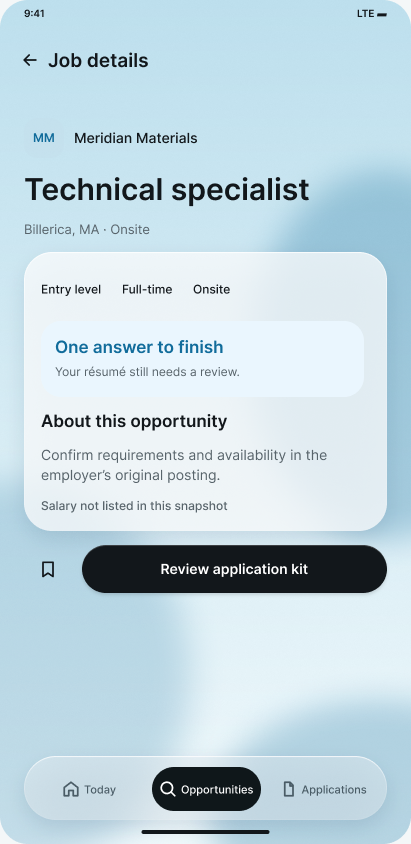
Meridian Materials · Technical specialist
Start when you are ready. Nothing is sent.The working notes, alternatives and native checks behind the experience.
I began with my own applications and an Android audit. Feedback from three users then reinforced two priorities: make the next step explicit and make each application’s status understandable.
“Need to find a better UX flow.”
The redesign separates a saved role from an application someone has started.
“The UX flow feels interrupted.”
The redesign keeps the role, reviewed files and unfinished step together on return.
7 October walkthrough & audit · 11 October internal QA · Informal feedback after use, reported 1 November
I mapped saving, preparation and outcome as distinct steps, then designed for the moments when someone edits a file, leaves or returns.
The first useful boundary was preparation through recovery: work the app could preserve and explain while the applicant moved between employer sites.
Deferred Cloud sync · Automatic AI · Multiple application attempts Keeping the first milestone focused on reliable state and recovery.
The earlier list blurred interest and progress. I separated saving a role from starting preparation.
Evidence Status confusion in user feedback · Overlapping destinations in the Android audit
Discovery and active preparation share the same screen.
The role is on the shortlist. The named action is Start preparation.
Starting creates active work, with its own kit and next review action.
One extra action gives an application a deliberate beginning. Comprehension still needs testing. The historical and current screens use different fictional records; this is a design comparison.
I separated application status, kit review and export freshness. Editing an answer renews overall review; an unchanged résumé keeps its own review.
Evidence Status clarity as a feedback theme · Exact review behavior established by native QA
Application: In preparation
Kit r1: Reviewed
Files: Current
Application: Still in preparation
Kit r2: Needs review
Files: Outdated
Unchanged résumé: Still reviewed
The 11 October native check confirmed this distinction. These views demonstrate the current prototype’s state rules; they are not native acceptance captures or measured user outcomes.
I separated the interface, workflow rules and saved records so a new screen could not silently change what “reviewed,” “pending” or “submitted” meant.
Decision records · ADR-001–003, 005–006
Native testing changed the file-transfer approach. A partial export had to stop the handoff, even when earlier examples had worked.
Bounded file handles passed the small-file check.
The 20 MiB test wrote only 11,010,048 bytes. The approach was rejected.
Retain the conservative write, then read back size and checksum before opening the employer.
6–7 Oct native acceptance · Explanatory sequence from ADR-006 and test records. The boundary failure’s underlying cause remained unresolved.
Each iteration changed what came first: search, saved roles, focused context, then a preparation action. Frosted Blue brings that progression into the current design.
Keep document identity and the action in the same place. Let review state belong to the exact file, so replacing it cannot inherit an old approval.
Stable Identity · spacing · action position
Changes with state Version · review label · trailing icon
Explanatory component study · Frosted Blue visual language and existing prototype state rules · Read-only, fictional example
The 11 October candidate unified ordering and deduplication in one tested queue.
These 11 October states document a proposal and internal QA. Later informal feedback informed Frosted Blue; uncoached prioritization still needs evaluation.Earlier interaction studies · 11 October 2026 · Original Figma exports · Fictional data
On 31 October, I compared search first, a combined list and separate spaces for saved and active work. This later exploration made the structural tradeoffs explicit.
Discovery comes first. Work in progress is less visible.
Everything is together. Saved and active work compete.
A next action, a shortlist and committed applications.
Current wireframe exploration · 31 October 2026
Native checks establish specific behavior. Informal use by three users informed the redesign. Broader, uncoached evaluation is the next step.
Separate 11 October runs covered PDF viewing, review renewal, folder cancellation, later file export and saved state after restart. A renewed handoff through to a recorded outcome was not verified. Those native QA runs did not include real employer submissions or participant sessions; the earlier physical-device PDF-viewer issue remains unresolved.
Native interaction decisions cover leaving, typing and returning focus—not just the ideal sequence of screens.
Back offers Keep editing or Discard input. Saved work stays; an uncommitted choice does not become an outcome.
The lower-field check exercises the screen with the keyboard open. Android Back dismisses the keyboard before navigating.
Separate historical Android checks · Fictional QA data · ADR-005. Screens are not one continuous session.
A TalkBack check after résumé replacement exposed focus jumping to Back. The fix focuses the committed replacement summary; a manual phone retest was confirmed.
6–7 October · Documented device feedback & scoped retest · Not a full accessibility audit
Broader usability and hiring impact remain unmeasured. Cloud sync, automatic AI, multiple application attempts and automatic employer submission are outside this milestone.
The rules could be correct while the next step remained unclear. Feedback from three users echoed that gap.
I made the next action explicit and separated application status, kit review and file freshness.
Can someone unfamiliar with the project explain the status and complete a handoff without help?
Informal use informed the direction. A structured, uncoached evaluation and hiring outcomes are still ahead.
Follow the design in Figma, or look through the workflow rules and tests behind it.